
Creating a HiddenJack Casino account involves submitting your personal details, verifying your contact information and completing the steps required for your first login. The registration guide covers each stage of the process and explains how to address common problems accessing your account.
HiddenJack Casino is operated by Fortaprime SRL, a commercial entity registered in Costa Rica. No gambling-regulator licence has been verified for the operator, and the Dutch Kansspelautoriteit imposed a €1,795,000 fine for unlicensed operation.
| Task | Where to Do It | What You Need |
|---|---|---|
| Create an account | Registration form | Personal and contact details |
| Log in | Login form | Your login details and password |
| Log in on mobile | Login form in your mobile browser | Your credentials and a secure connection |
| Reset a password | Password-recovery option on the login form | Access to your registered contact method |
| Verify identity | Document-submission process | Identification and any requested supporting documents |
| Secure the account (2FA) | Account security settings, if offered | A second authentication method |






Registration Eligibility and Preparation
Before you apply, make sure you can provide accurate personal details and access the contact method you enter. You will also need to complete identity verification before your first withdrawal, so prepare documents that match your application.
Age, Location and Account Restrictions
Only apply if you meet the gambling age and other legal requirements that apply where you are located. Our lack of a verified gambling-regulator licence is relevant to your decision to register; do not assume that our registration as a commercial entity is a gambling licence.
Personal Details Required for the Application
Enter your own details rather than another person's information. Use a contact address or number you control, and make sure the name and other identifying information you provide agree with the documents you may later submit.
Creating a New Profile on the Casino Website

Use our registration form to create one profile with your own information. The sequence below takes you from opening the form through your first login; keep access to your chosen contact method throughout the process.
Follow these seven steps in order to create your profile, complete any requested contact confirmation and reach your account for the first time.
- Step 1 — Open registration — Open our registration form in your browser and prepare the personal and contact details you will use. Make sure you control the email address or mobile number you intend to enter, because you may need it for confirmation and recovery.
- Step 2 — Complete the form — Enter your own details in the requested fields and choose a unique password. Review the information for typing errors, especially your contact details, and make sure your identifying information matches the documents you may later provide.
- Step 3 — Confirm your contact method — If we request confirmation, open the message sent to your email address or mobile number and use its link or code as instructed. Check your message filters if it does not arrive, and keep the code private.
- Step 4 — Accept the terms — Read the account terms presented during registration and accept them if you agree. Complete the submission, then retain access to your chosen contact method so you can receive account messages and recover your credentials if necessary.
- Step 5 — Open the login form — Once your registration and any requested confirmation are complete, open our login form on your computer or mobile browser. Use the existing profile rather than starting another application if you have difficulty finding your account.
- Step 6 — Enter your credentials — Enter the login details and password you created, checking for typing errors before submitting. If you have forgotten the password, use the recovery option on the login form instead of repeatedly guessing or creating another profile.
- Step 7 — Review your account — After signing in, review your profile information and locate the verification process. Prepare your identification and any requested supporting documents before your first withdrawal, and review the security settings for a second authentication option.
Completing the Sign-Up Form
Work through the fields in the form and correct typing errors before submitting. In particular, an incorrect email address or mobile number can prevent you from receiving a confirmation message or recovering access later.
Setting a Password and Confirming Account Terms
Choose a unique password that you do not use for another account. Read the account terms presented during registration before accepting them, and do not share your password with anyone who offers to complete the application for you.
Email or Mobile Confirmation After Registration
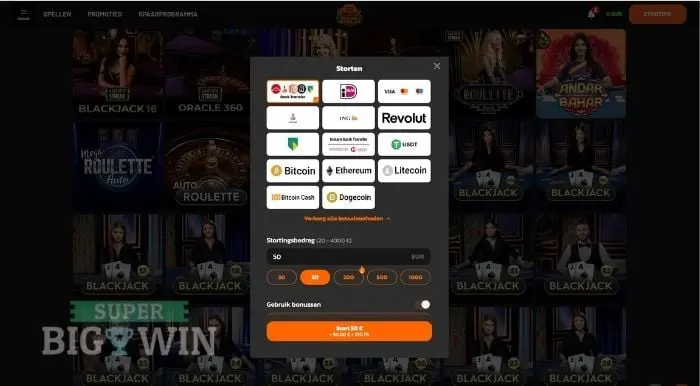
If we ask you to confirm your email address or mobile number, use the link or code sent to the contact method you supplied. Enter a code only in the relevant confirmation form, and avoid forwarding it to another person.
If a message does not arrive, inspect your spam folder or message filters and confirm that you entered the contact details correctly. Request another message if the form offers that option; otherwise, contact us through live chat or email.
Identity Verification and Document Requirements
We require verification before your first withdrawal. Our document requirements include identification, utility bills and proof of your payment method; documents in Latin or Cyrillic are accepted. Prepare readable copies so the information can be compared with your profile.
When Additional Checks May Be Requested
We may need video verification. If we request it, follow the instructions provided and have your identification ready. A mismatch between your profile and a document can also require clarification, so explain any discrepancy rather than submitting altered information.
Submitting Documents and Tracking Verification Status
Submit the documents we request through the verification process and retain the originals. If you cannot see a status or need to clarify a request, contact us by live chat or email and identify the document concerned without sending your password or login codes.
First Account Login and Access to Player Features
After registration and any requested contact confirmation, open the login form and enter the credentials you created. Once signed in, review your profile details and locate the verification area before attempting your first withdrawal.
On a mobile device, use your browser to reach the login form and enter the same account credentials. Avoid saving your password on a shared device, and sign out when you finish if another person can access it.
Profile Management, Password Recovery and Login Security
Keep your contact information accessible because it can be needed for account recovery. If you need to change your login email and cannot find an account option for it, ask us through live chat or email how to make the change securely.
For a forgotten password, select the password-recovery option on the login form and follow the instructions sent to your registered contact method. If two-factor authentication is offered in your security settings, enable it and keep its recovery information private.
These habits help protect your profile and preserve your ability to recover it. Apply them on every device you use to access your account.
- Use a unique password — Choose a password you do not use elsewhere, and store it securely rather than writing it where other people can find it.
- Protect your contact method — Keep control of your registered email or mobile number so you can receive confirmation messages and recover access when needed.
- Use two-factor authentication if offered — Enable a second authentication method in your security settings if available, and keep any recovery information somewhere private and accessible.
- Sign out on shared devices — End your session after using a shared phone or computer, and do not let the browser save your account password there.
Duplicate Accounts, Registration Errors and Application Rejections
Do not create another profile to work around a login failure or an unresolved application. Contact us instead, explain what happened and provide the contact details associated with your existing application so we can help identify it.
When a form rejects an entry, review the field indicated and correct the information before trying again. If the problem persists, note the error message and the stage at which it appeared; share those details with us without disclosing your password.
Use these fixes for common registration and login problems before trying again. If a problem remains unresolved, contact us without sharing your password or confirmation codes.
- Forgotten password — Select the password-recovery option on our login form, follow the message sent to your registered contact method and set a new password.
- Confirmation message missing — Check your spam folder or message filters, verify the contact details you entered and request another message if that option is offered.
- Login details rejected — Re-enter your credentials carefully, check for unintended spaces or capital letters, and use password recovery if you cannot remember the password.
- Existing account or rejected application — Avoid opening another profile; contact us with the relevant account details and the error message so we can investigate the problem.